FITSit: Blink, Inspect, Rename and Edit FITS Images
Code Obsession, LLC, the developer of Observatory, announces FITSit, a new macOS application for reviewing and organizing folders of FITS images.
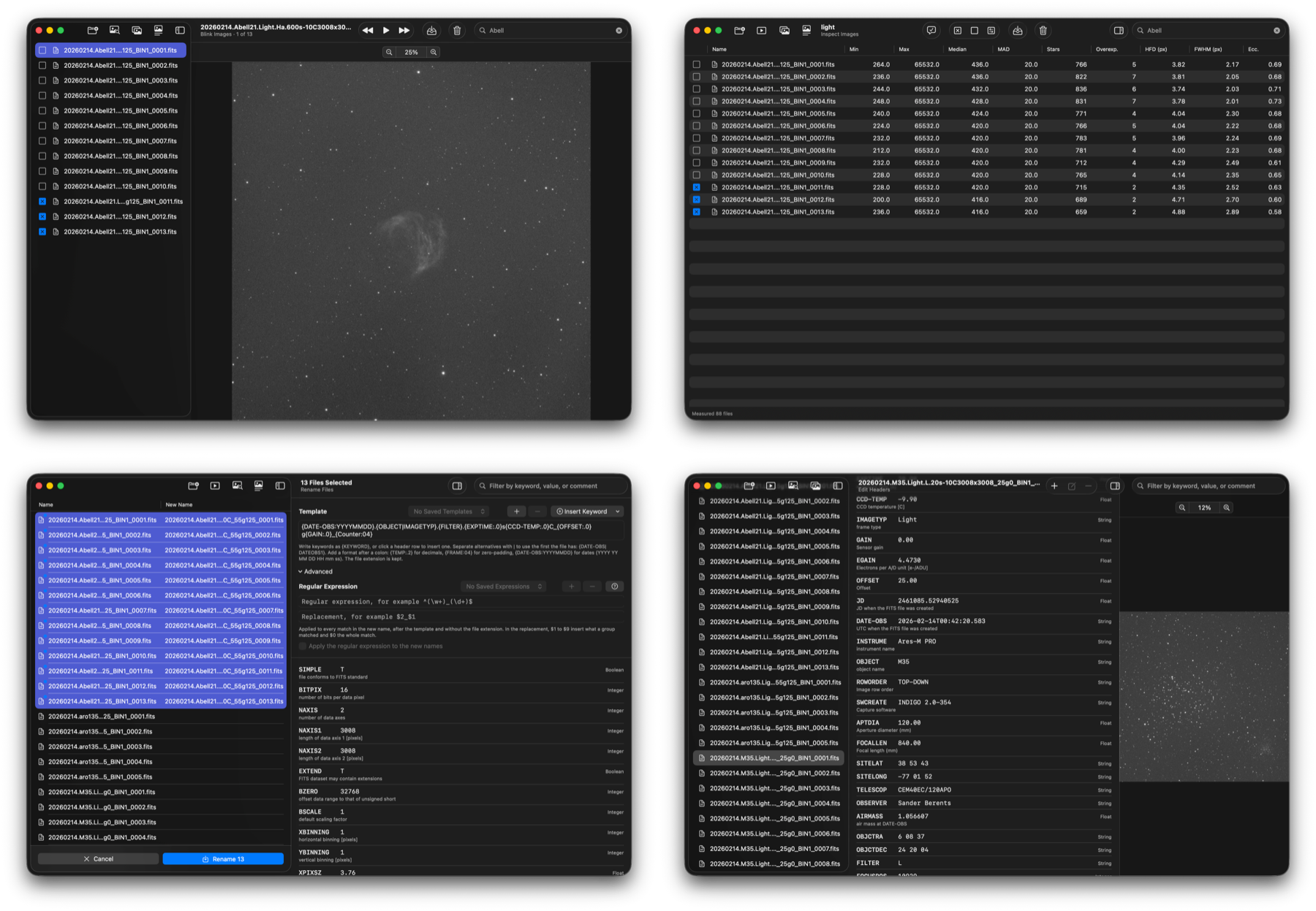
A night of imaging leaves hundreds of FITS files that need attention before calibration and stacking: bad frames to remove, meaningless file names to fix, and header keywords (OBJECT, FILTER, EXPTIME, DATE-OBS) that are missing or wrong. FITSit brings these tasks together in one native Mac application that works on entire folders at a time.
FITSit and Observatory, our image management application for astrophotographers, complement each other but are entirely independent: neither needs the other. Use FITSit to review, clean up and prepare the frames in a folder, and Observatory to organize and catalog your images. Observatory’s integration reports and session history also help you plan your imaging sessions.
Your data is handled conservatively. Headers are written only when you choose Save, files are renamed only when you choose Rename, and removed frames go to the Trash.
FITSit will be available soon on the Mac App Store.
Blink Images
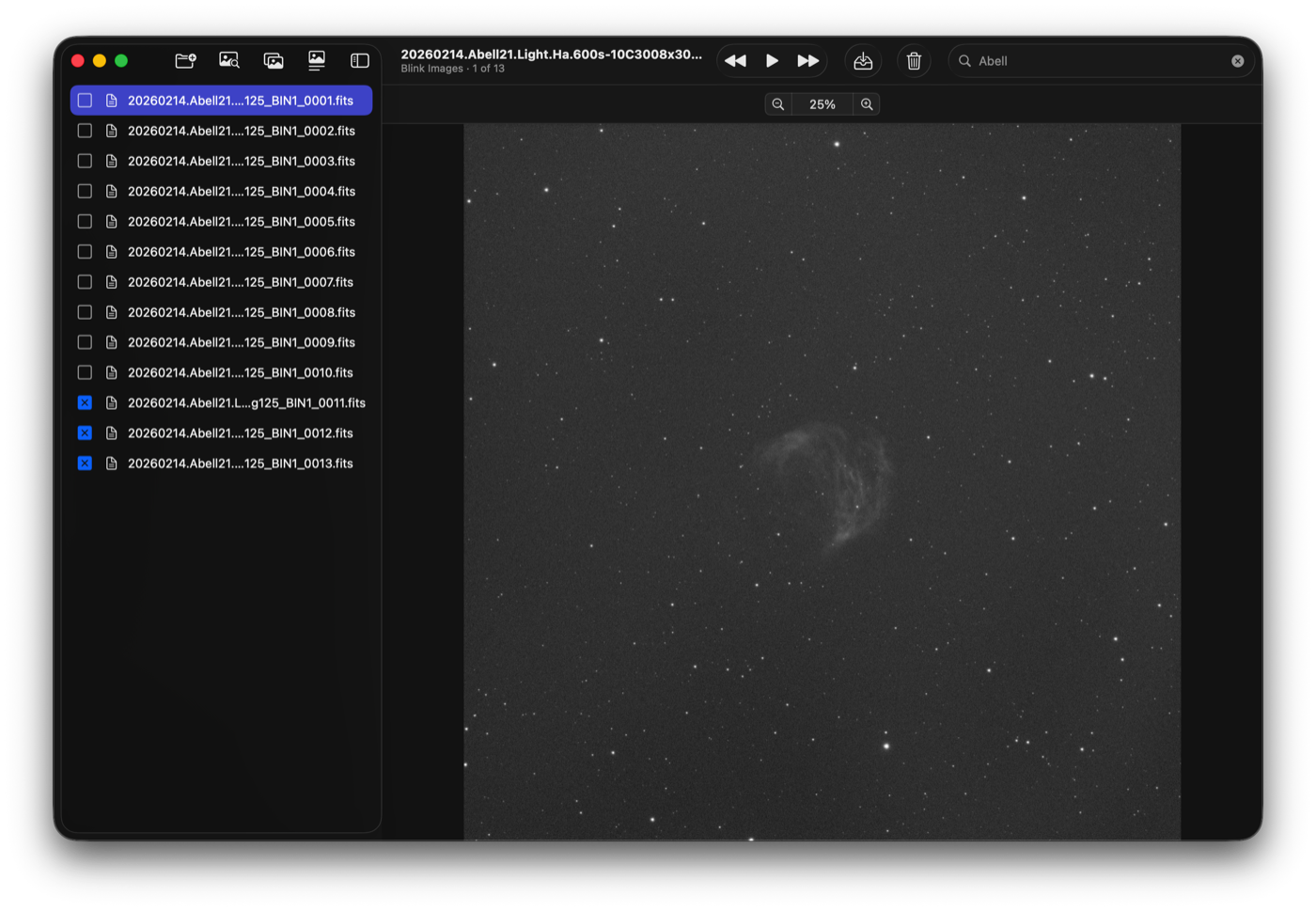
Step or play through a folder as a blink comparator to reveal clouds, satellite trails, asteroids and drift.
- Playback from 1/10 to 20 images per second
- Images are prepared in the background for instant stepping; folders larger than available memory are supported
- Zoom and position persist between frames, so a region of interest can be watched across the whole set
- Automatic screen stretch (PixInsight-style Auto STF); raw Bayer frames are displayed in color
- Tick rejected frames while reviewing, then move them to another folder or to the Trash
Inspect Images
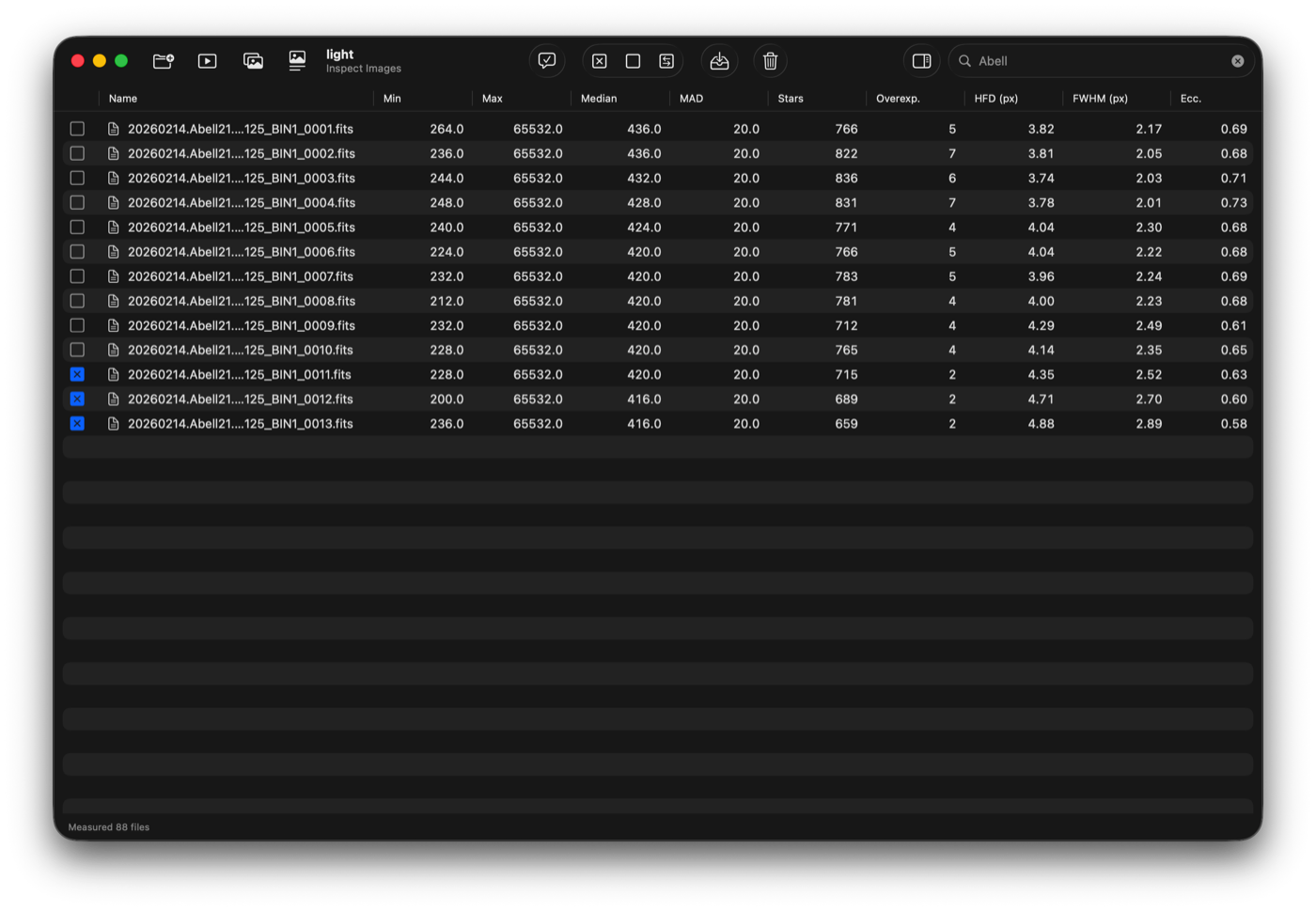
Measures every frame in a folder and presents the results in a sortable table: minimum, maximum, median, MAD, star count, overexposed stars, and the median HFD, FWHM and eccentricity of the stars.
- Star metrics come from an elliptical Moffat fit to a sample of up to 1000 stars per image; HFD is measured directly from the pixels
- Results are reproducible: the same image always yields the same numbers
- Bayer frames are measured on their green pixels only, without debayering
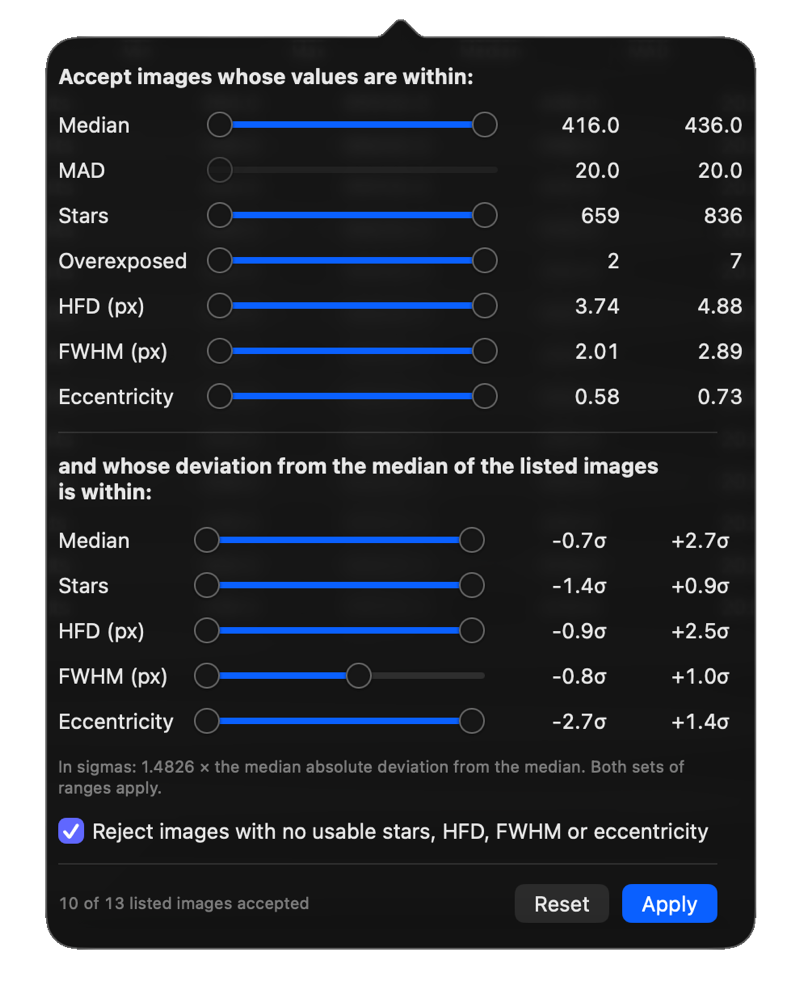
Tick by Range provides a slider for each measurement. Set the acceptable range for each, and every frame outside them is ticked, ready to be moved or trashed in one step.
Rename Files
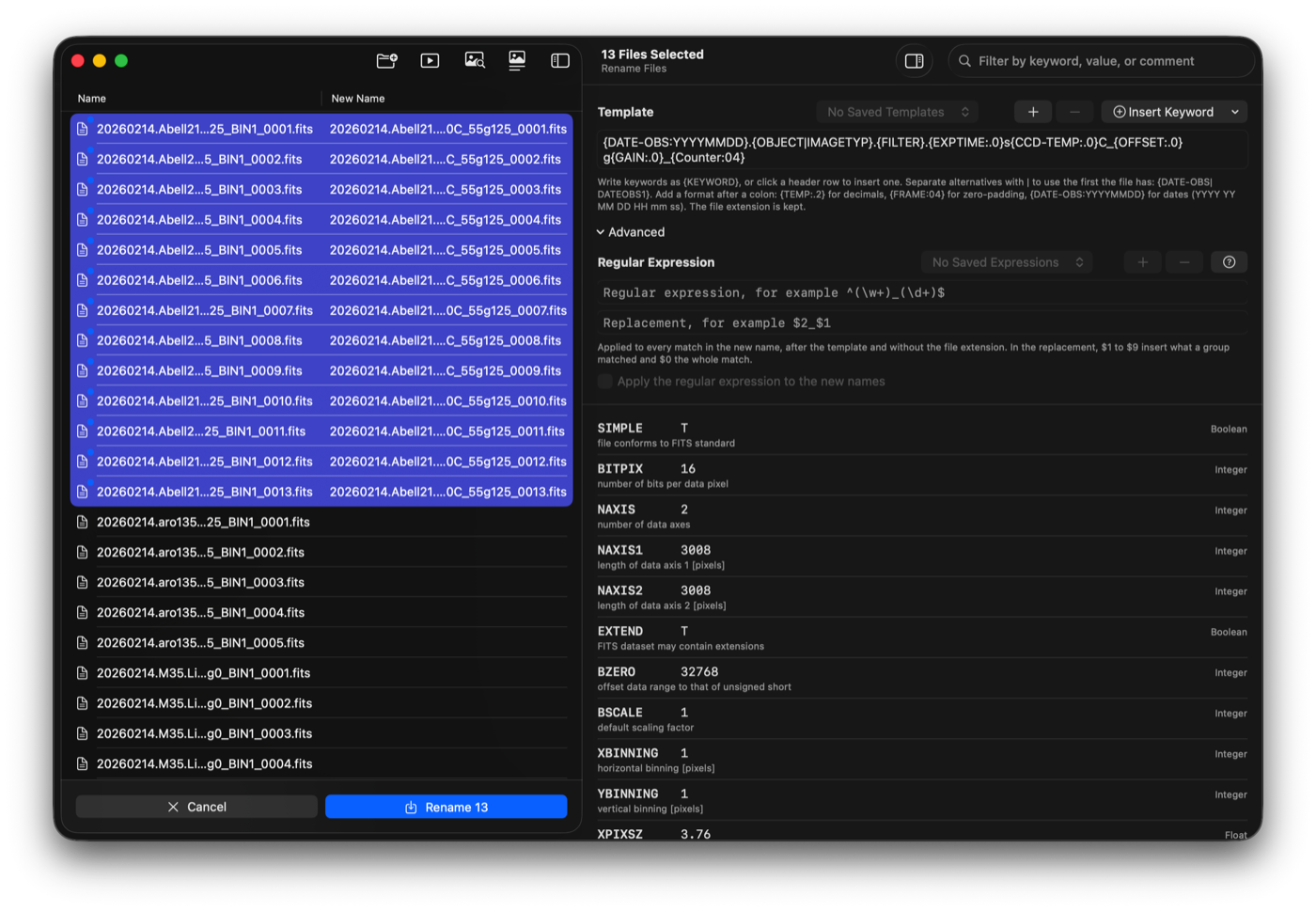
Name files from a template built from their own header keywords:
{DATE-OBS:YYYYMMDD}.{OBJECT}.{FILTER}.{EXPTIME:.0}s_{Counter:04}
- Number and date formatting, fallback keywords (
{DATE-OBS|DATEOBS1}), original file name and counter - A New Name column previews the result for every file before anything is renamed
- Missing keywords and name conflicts are reported and skipped; existing files are never overwritten
- Templates can be saved and reused
Edit Headers
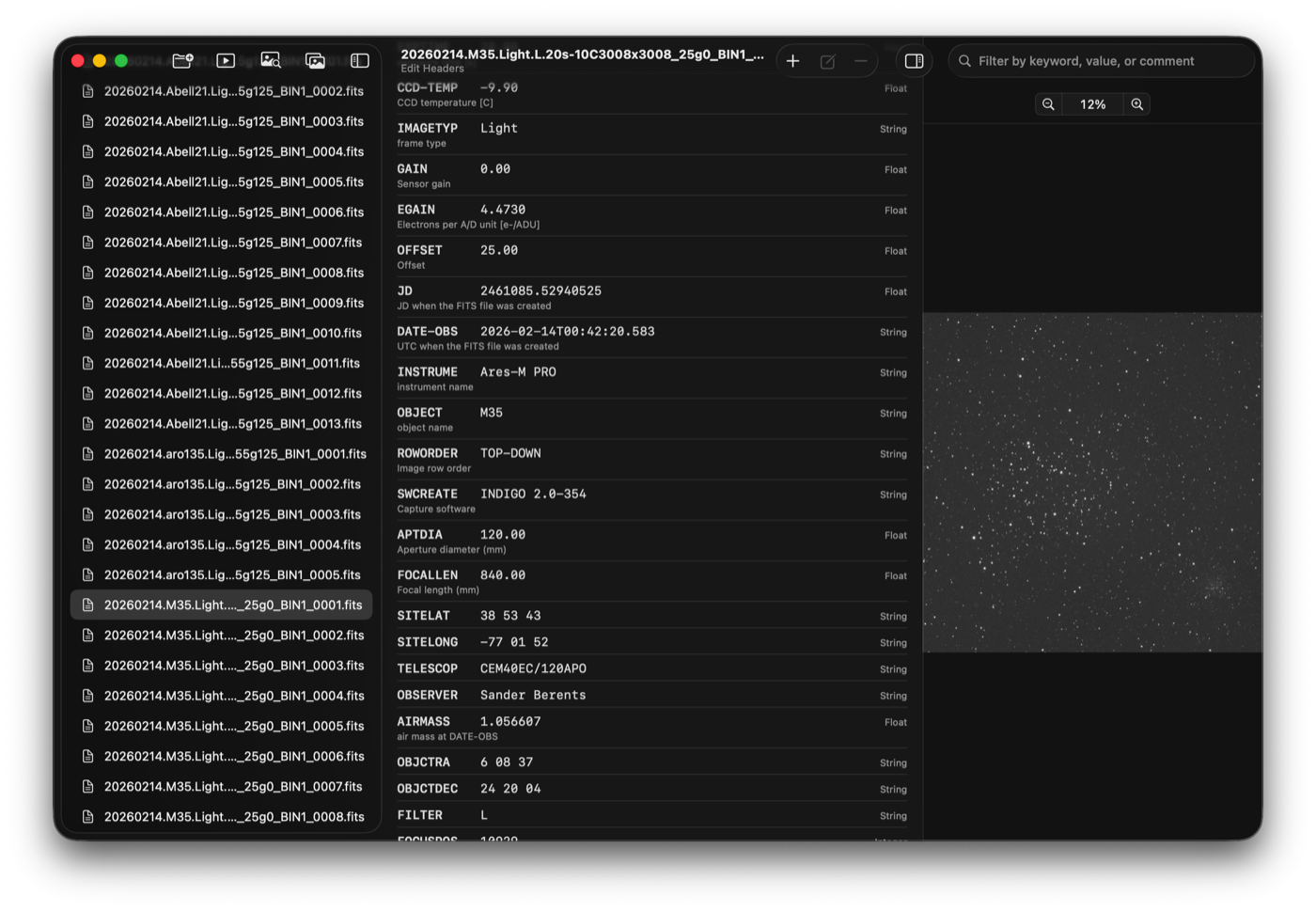
Read, search, add, edit, delete and reorder header cards, with full Undo and Redo. Changes are collected and written only on Save.
With several files selected, a combined view lists one row per keyword and applies any change to every selected file, which makes correcting OBJECT, FILTER or a missing keyword across a whole night a matter of seconds.
Details
- Supports
.fits,.fitand.ftsfiles of any bit depth - Zoom from 1% to 1000% using drag, mouse wheel, trackpad pinch or the View menu
- Includes a built-in Help book
Requirements: macOS 26.5+. Price: USD 9.99.