We quietly have been working on it for months, but today we finally can take the wraps off our latest and greatest update. Observatory 1.1 is a major update, focusing on improving the user experience, the ability to handle larger stacks and additional plugins.
Background Processing
Whenever you select an image or stack, or change layer adjustments in one of the previous versions of Observatory, it will block the application from accepting any user input while it loads and processes the images. This isn’t a big deal on fast systems when selecting a single image, or when processing a small stack, but on slower systems, those equipped with hard disks instead of SSDs, or when processing a large stack, the spinning beachball isn’t exactly a pleasant sight, and neither is the inability to stop the processing.
This all has changed in Observatory 1.1. It now remains responsive while loading, processing and stacking images. You can even edit an image version’s notes and other metadata during these tasks. Changing adjustments or stack settings will restart the processing. Selecting a different version may automatically stop it, depending on the selection.
There is a new “Stop Tasks” toolbar button and “File ▸ Stop Tasks…” menu item to gracefully stop image loading, processing and stacking. It also temporarily stops automatic library maintenance tasks.
The inspectors now display progress indicators when they cannot display the requested information just yet, and the one in the editor even provides a clue of how far the loading and processing has proceeded.
Larger Stacks
Observatory now uses less memory. Stacks can be larger, especially those without layer adjustments. As before, the system’s memory size will affect the maximum stack size and stacking performance.
When the system is running low on memory, Observatory will now issue a warning. Most of the time the system will be able to handle the tasks just fine and you can ignore it. If it is running critically low on memory, it will issue another warning with the option to automatically stop tasks when this happens. It is fairly conservative with these warnings, and systems equipped with SSDs may be pushed well beyond it.
Another enhancement we made is that you don’t need to focus on a stack anymore just to see the number of images it is made of. This is now shown on the stack’s browser thumbnail itself.
Acorn Plugins
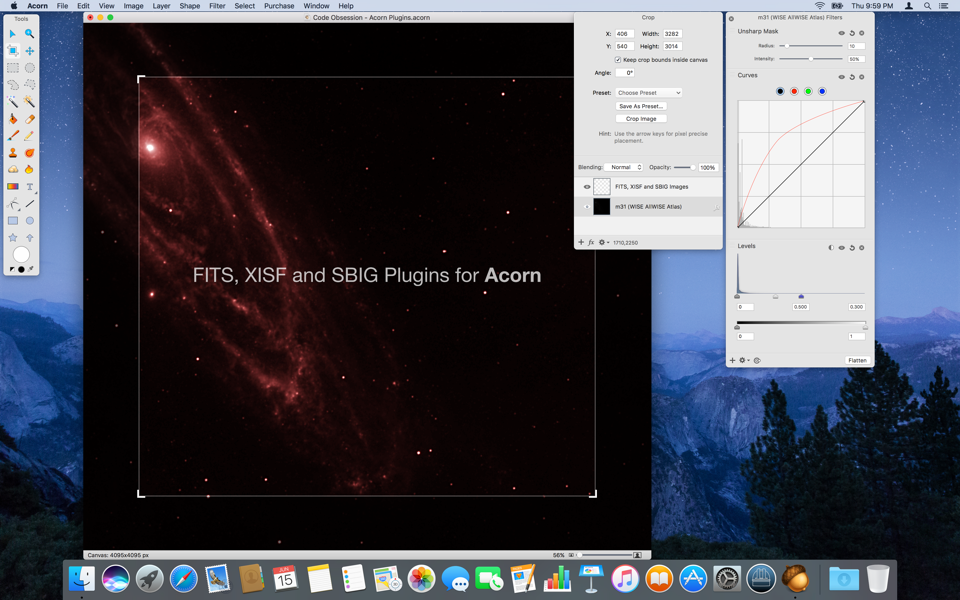
Our FITS, XISF and SBIG plugins for Acorn] that let you import these images at full bit depth straight into this powerful image editor are now included in Observatory itself. Choose the new “Observatory ▸ Install Extras…” menu item to install them.
Observatory Demo
It has been requested since we released Observatory 1.0, and today it has finally arrived, the Observatory Demo. You can download it from our website.
It is a demo, not a full trial, and does not include our Quick Look, Spotlight and Acorn plugins. These are all major features of Observatory, but we cannot effectively let these plugins “expire”, so they are not included. The demo will allow you to evaluate the many other features of Observatory though before purchasing.
Fixes, and more
We’ve made many more improvements throughout the application of course. See the release notes for the complete list.
We’ve also added new videos. One that demonstrates how calibration, stacking and plate solving works in Observatory, and another one that shows the Acorn plugins in action.
Enjoy!